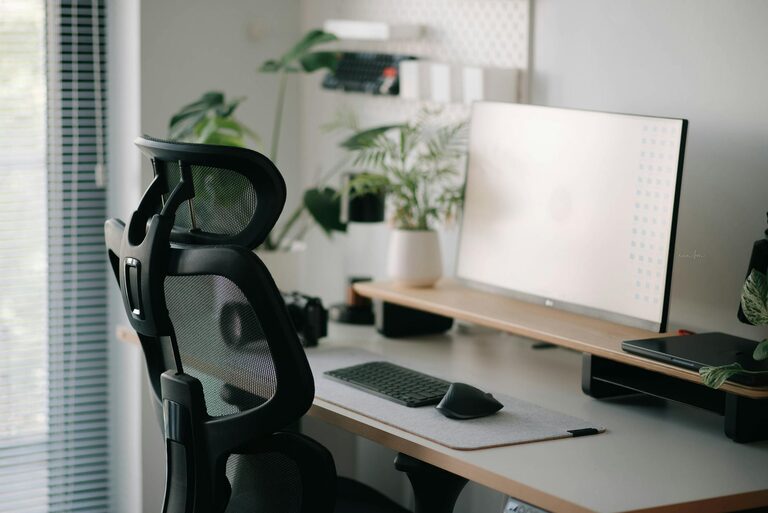
Creating a comfortable and productive home office space is essential for anyone working from home. A well-designed workspace helps maintain focus, reduce stress, and improve overall work efficiency. Whether you have a dedicated room or just a small corner, these tips will guide you in setting up an office that suits your needs and keeps you motivated throughout the day.
Choose the Right Location
The first step in creating a home office is selecting an ideal spot. Consider the following factors:
– Natural light: Position your desk near a window to benefit from natural daylight, which can boost mood and energy.
– Quiet area: Choose a part of your home with minimal noise and distractions.
– Space availability: Ensure there’s enough room for your desk, chair, and any equipment you need.
– Accessibility: Think about how easily you can access this space during your workday.
If space is limited, don’t hesitate to use room dividers or screens to separate your work area from the rest of your living space.
Invest in Ergonomic Furniture
Comfort is key to staying productive. Ergonomics helps prevent discomfort and health issues related to poor posture.
– Ergonomic chair: Look for one with good lumbar support, adjustable height, and comfortable cushioning.
– Desk height: Your desk should allow your elbows to rest at a 90-degree angle while typing.
– Monitor placement: Position your screen at eye level to avoid neck strain.
– Footrest: If your feet don’t rest flat on the floor, consider a footrest for better posture.
These small adjustments can significantly improve comfort and reduce fatigue during long work hours.
Organize Your Workspace Efficiently
A cluttered desk can hinder productivity. Keep your workspace tidy with these tips:
– Storage solutions: Use shelves, drawers, or organizers to keep supplies and documents in order.
– Minimalism: Keep only essential items on your desk to reduce distractions.
– Cable management: Use clips or ties to organize cords and prevent tangling.
– Daily tidying: Spend a few minutes at the end of each day clearing your desk to start fresh tomorrow.
An organized space promotes focus and makes it easier to find what you need quickly.
Optimize Lighting for Comfort and Focus
Good lighting prevents eye strain and helps maintain energy levels.
– Natural light: Maximize daylight in your workspace.
– Task lighting: Use a desk lamp with adjustable brightness to focus on close-up work.
– Avoid glare: Position screens and lights to minimize reflections on your monitor.
– Even lighting: Balance overhead lights and task lights to reduce shadows.
Adjust your lighting according to the time of day and your work tasks.
Personalize Your Workspace
Adding personal touches can make your office feel welcoming and inspiring.
– Decor: Include artwork, plants, or photos that motivate you.
– Colors: Choose calming or uplifting colors for walls or accessories.
– Comfort items: A cozy rug, cushions, or a warm throw can make a difference.
– Inspiration board: Keep a board with goals, quotes, or ideas to stay motivated.
Personalization helps improve your mood and makes working from home more enjoyable.
Establish Boundaries and Routine
Separating work from home life is important for well-being.
– Set work hours: Define your start and end times to maintain balance.
– Limit distractions: Inform family or roommates of your schedule.
– Breaks: Schedule regular breaks to stretch and rest your eyes.
– Transition rituals: Use a routine to signal starting and finishing work, like a short walk or tidying your desk.
Clear boundaries improve focus during work hours and help you unwind afterward.
Incorporate Technology Smartly
Technology can boost productivity if used wisely.
– Reliable internet: Ensure your connection is stable for video calls and file sharing.
– Quality equipment: Invest in a good keyboard, mouse, and headset.
– Software tools: Use apps for time management, note-taking, and communication.
– Backup plans: Keep chargers and spare batteries handy to avoid interruptions.
Regularly update and maintain your equipment to avoid technical problems.
Take Care of Your Health
Your home office should support your physical and mental well-being.
– Movement: Incorporate standing desks or take standing breaks.
– Exercise: Stretch or do quick exercises during breaks.
– Hydration: Keep water nearby to stay hydrated.
– Air quality: Ventilate your room and consider an air purifier if needed.
– Mental breaks: Practice relaxation techniques or mindfulness to reduce stress.
A healthy work environment improves focus and overall happiness.
—
Setting up a home office is more than just placing a desk in a room. By thoughtfully designing your space with comfort, organization, and productivity in mind, you create an environment that supports your work and well-being. Use these tips to build a home office that helps you succeed every day.

Related Posts